Truly in sync
Devices align their clocks and fire at the same instant, not one after the other.
For iPhone, iPad and Apple Watch
Turn the iPhones and iPads you already own into one synchronized multi-camera rig. Tap once, and every camera takes the photo or starts recording at exactly the same moment.
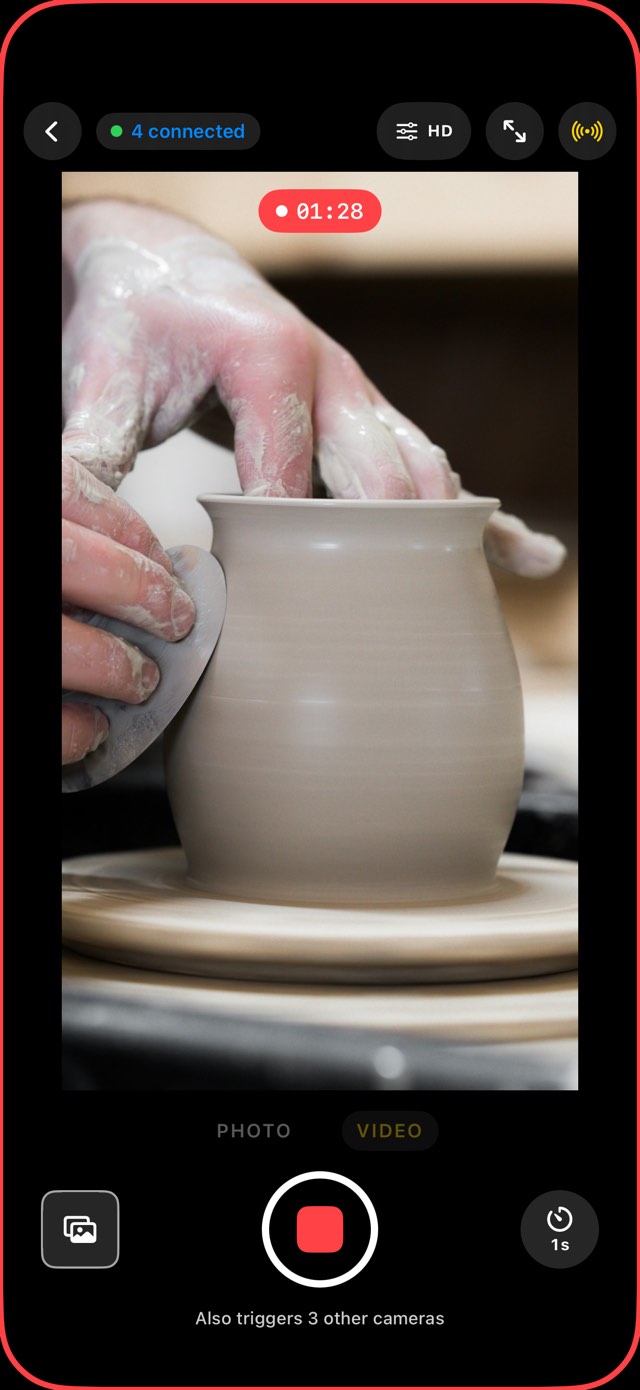
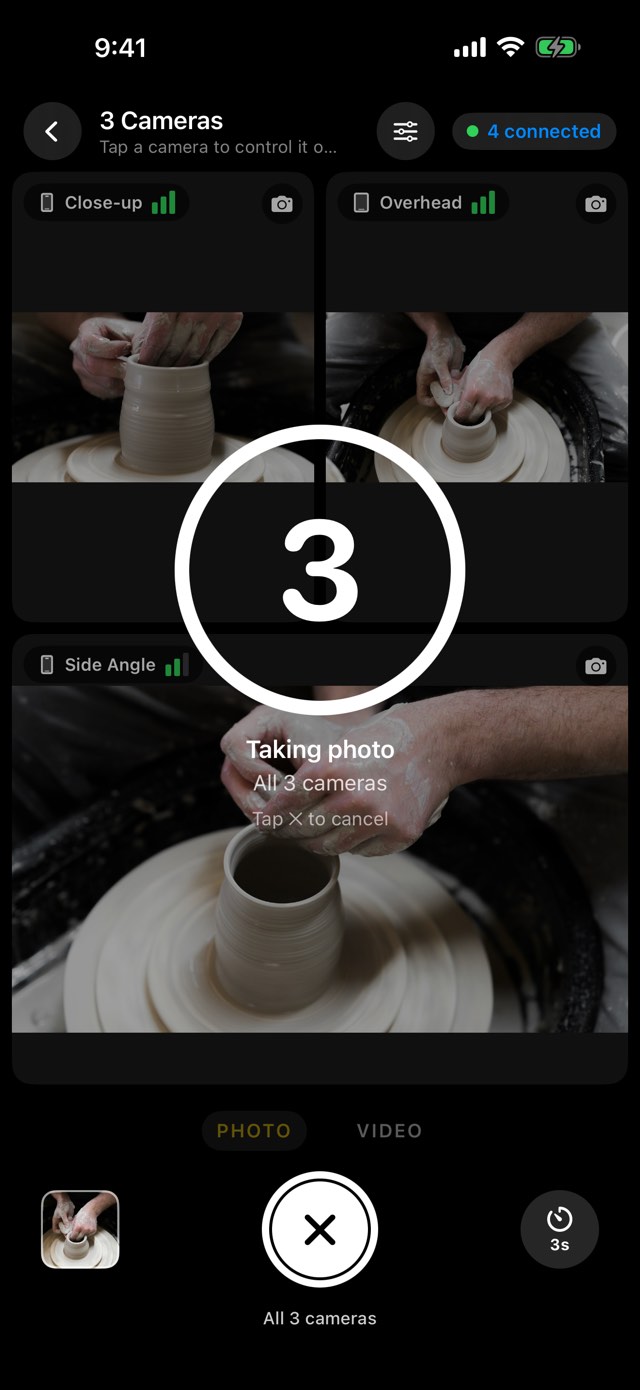
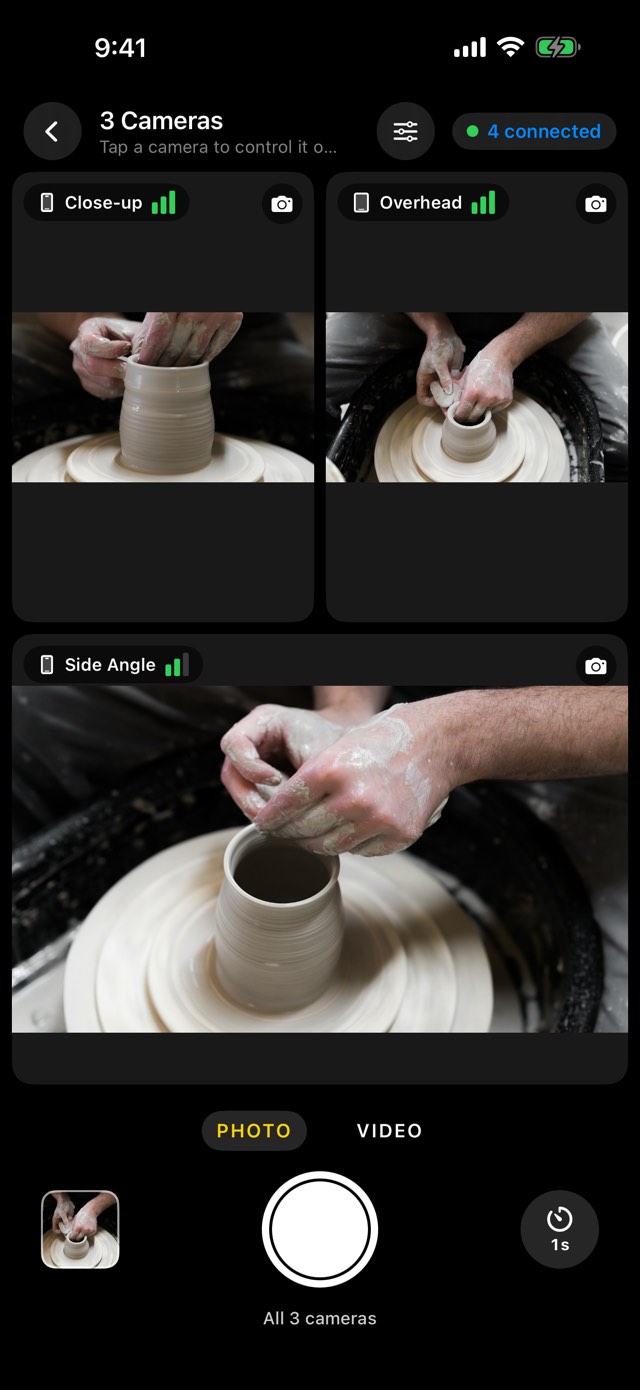
One phone is a camera. Three are a film set. LensLink connects the devices you already have, so every angle is captured in the same instant.
No account, no router, no cables. Devices find each other over Wi‑Fi and Bluetooth, even with no internet around. Pair them once, and they reconnect by themselves.
Open LensLink on each iPhone or iPad you want to film with and choose Camera.
Pair each new device once with a 4-digit code or QR code. Then choose Remote on one device: every camera appears with a live picture.
Photo or video, with an optional countdown. All cameras fire together, and the photos show up on the remote.
An iPad makes a great remote: it shows each camera's picture as it happens. Tap one to control it on its own. Use several remotes at once, and any of them can trigger the whole group.
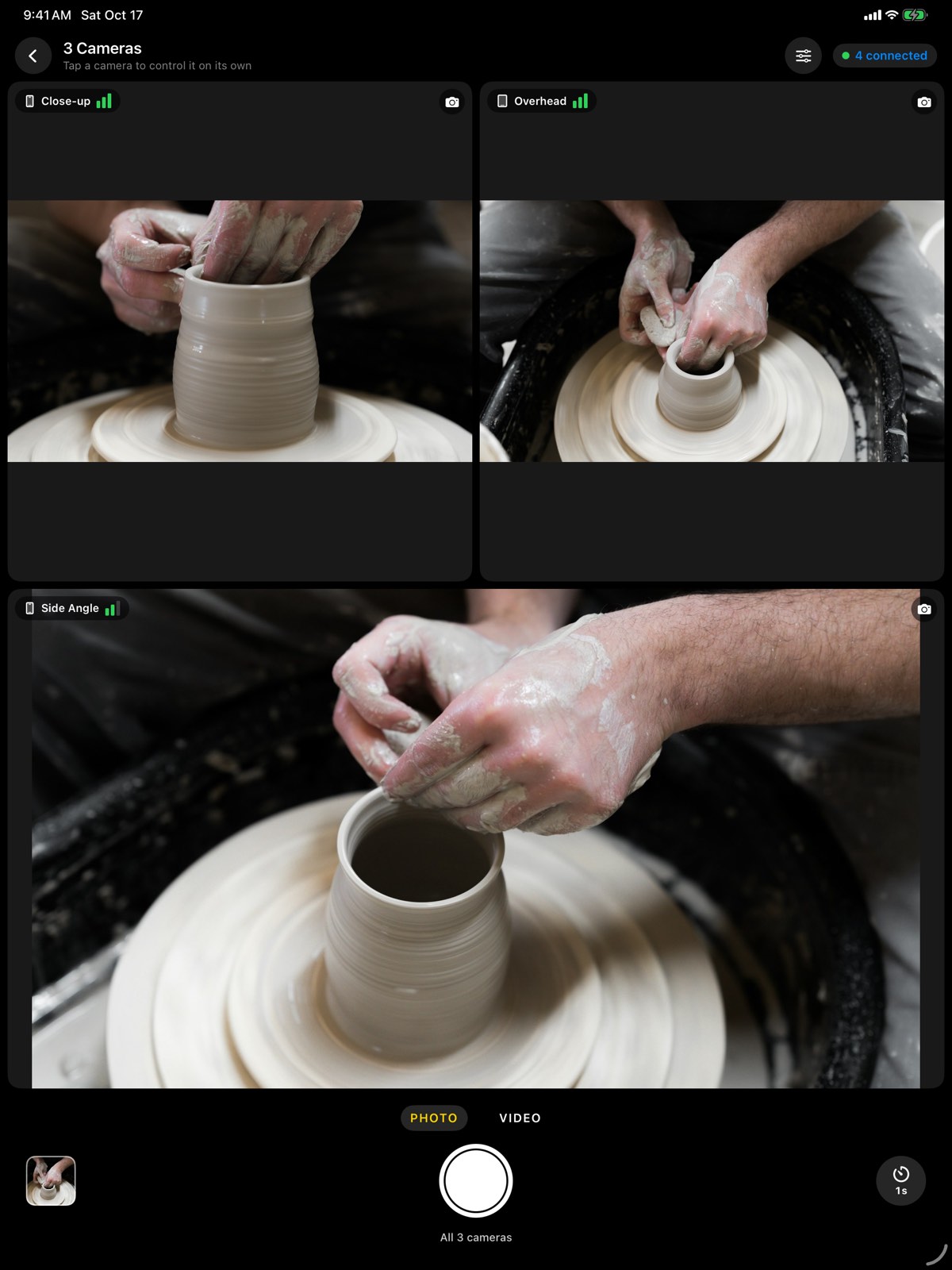
Devices align their clocks and fire at the same instant, not one after the other.
1, 3, 5 or 10 seconds, shown on every device, so everyone knows when it's happening.
Shoot at each camera's full resolution. The remote gets a preview right away and fetches the originals when you want them.
Ultra wide, main, telephoto or front camera: choose the lens for each camera, right from the remote.
Tap a camera's picture to focus it. Set the flash for all cameras and switch any camera's torch on or off.
Photos appear right after the shot. Videos stay on the cameras until you fetch the ones you want.
Save one moment from every camera as a single collage, or as a short clip that sweeps through the angles.
Trigger every camera from your wrist, with a live picture, the photo you just took and the self-timer.
Soon a Sony camera with Bluetooth remote (like the ZV‑E10) will shoot together with your iPhones.
Podcasts, interviews, tutorials, music: film every angle at once and go straight to the edit.
HD or 4K, 24 to 60 frames per second and HDR: set it once on the remote and every camera records the same.
Match every camera to one of them: same exposure, same white balance, so the angles cut together without jumps.
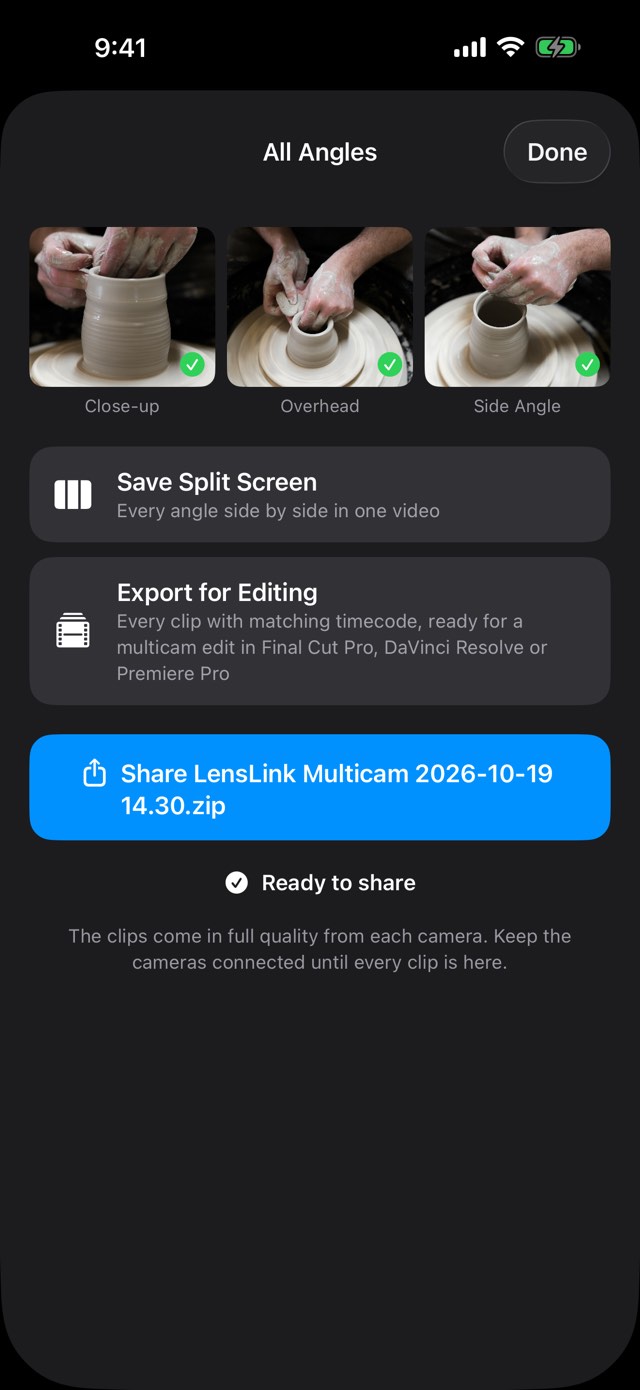
Every angle side by side in one video, in sync and ready to post.
Every clip in full quality with matching timecode. Drop them into Final Cut Pro, DaVinci Resolve or Premiere Pro and make a multicam clip in seconds.
The remote warns before a camera runs low on battery or storage.
LensLink is a multi-camera remote shutter for iPhone and iPad. One device is the remote, the others are cameras. Tap the shutter on the remote, and every camera takes the photo or starts recording at the same moment. It's made for group photos, product shots, tutorials, interviews and sports.
Up to 8 devices at once, for example one remote and seven cameras. You can also use more than one remote: any of them can trigger the whole group. One remote with one camera is free; more cameras need LensLink Pro.
No. The devices connect directly to each other, even with no internet or router around. Just keep Wi‑Fi and Bluetooth turned on; they don't need to be on the same network.
Yes. The devices align their clocks and fire at the same instant, instead of one after the other. A shared countdown of 1, 3, 5 or 10 seconds shows on every device, so everyone knows when it's happening.
Yes. The LensLink watch app triggers every camera from your wrist, with a live picture, the photo you just took and the self-timer. LensLink needs to be open on the paired iPhone.
Yes. After a recording, open All Angles on the remote and choose Export for Editing. You get every camera's clip in full quality with matching timecode, and your editing app lines them up as a multicam clip by itself. It works with Final Cut Pro, DaVinci Resolve and Premiere Pro.
iPhones and iPads with iOS or iPadOS 18 or later, and Apple Watch with watchOS 10 or later.
Yes. One remote and one camera, Apple Watch included, are free. LensLink Pro, a one-time purchase, adds up to seven cameras, the full-quality originals on the remote, and the split-screen and editing exports. No subscription.
No. One device with Pro unlocks it for every camera and remote connected to it. Your purchase also covers all your devices with the same Apple ID, and Family Sharing extends it to your family. Bought LensLink before it was free? Pro is already yours.
More help on the support page.

Group photos, product shots, podcasts, interviews, sports.